Top 10 Advantages and Disadvantages of Video Conferencing
Published: 3 Feb 2026
Video conferencing is now widely used in offices, schools, and businesses around the world. It allows people to communicate face-to-face without traveling. But like any digital tool, it is not perfect for every situation.
To use it effectively, it is important to understand the advantages and disadvantages of video conferencing, especially for students, professionals, and organizations that rely on it for daily communication.
Advantages of Video Conferencing
Video conferencing offers many benefits that make communication faster, easier, and more flexible.

Here are the 10 main advantages of video conferencing:
- Saves time by reducing travel
- Lowers communication costs
- Supports remote work and flexibility
- Improves global connectivity
- Useful for online education and training
- Enables quick meetings and decisions
- Enhances team collaboration
- Environment-friendly solution
- Allows meeting recording and review
- Improves accessibility for everyone
Now, let’s cover each advantage in detail.
1. Saves Time
Video conferencing eliminates the need to travel to meetings, which can often take hours. People can join discussions instantly from their homes or offices, helping them use their time more efficiently and focus on important tasks.
2. Lowers Communication Costs
Organizations save money on travel, accommodation, fuel, and office-related expenses. Because meetings happen online, video conferencing becomes a cost-effective communication option for both businesses and educational institutions.
3. Supports Remote Work and Flexibility
Employees and freelancers can work from any location with an internet connection. This flexibility improves work-life balance and also allows companies to hire skilled professionals from different cities or countries.
4. Improves Global Connectivity
Video conferencing connects people from different cities, countries, and continents. Teams can collaborate internationally in real time without facing geographical barriers or long travel times.
5. Useful for Online Education and Training
Students can attend online classes, lectures, and workshops from home. Teachers and trainers can also share presentations, notes, and learning materials easily through video platforms.
6. Enables Quick Meetings and Decisions
Meetings can be scheduled at short notice, especially during urgent situations. This allows teams to discuss problems immediately and make faster decisions without unnecessary delays.
7. Enhances Team Collaboration
Features such as screen sharing, chat, and file sharing help team members communicate clearly. These tools make collaboration more effective during meetings, presentations, and group discussions.
8. Environment-Friendly Solution
Because fewer people need to travel, fuel consumption and carbon emissions are reduced. This makes video conferencing a more eco-friendly communication method compared to in-person meetings.
9. Allows Meeting Recording and Review
Video conferencing platforms allow meetings to be recorded for future reference. These recordings are useful for training, documentation, or for people who could not attend the meeting live.
10. Improves Accessibility for Everyone
People with physical disabilities, health conditions, or mobility challenges can participate in meetings without difficulty. This makes communication more inclusive and accessible for everyone.
Disadvantages of Video Conferencing
Video conferencing is very useful, but it is not perfect. There are some limitations that can affect meetings, communication, and productivity.
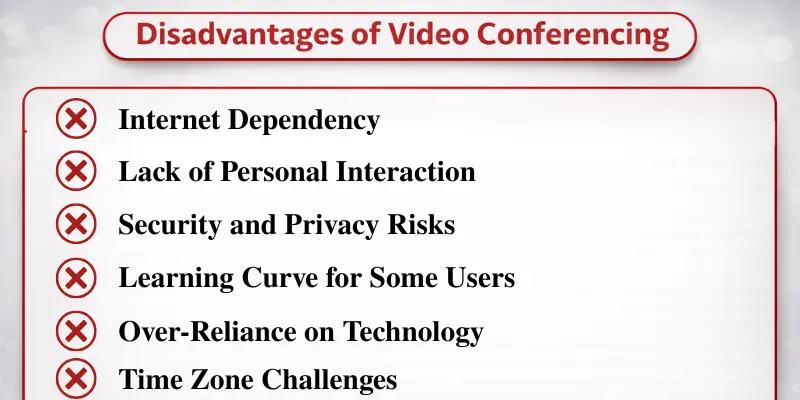
Here are 10 key disadvantages of video conferencing that you should consider before relying on it for regular use:
- Internet Dependency
- Lack of Personal Interaction
- Screen Fatigue
- Security and Privacy Risks
- Learning Curve for Some Users
- Over-Reliance on Technology
- Lack of Focus and Distractions
- Time Zone Challenges
- Limited Control Over Meeting Environment
- Difficulty in Managing Large Groups
Now, let’s explore each drawback in detail.
1. Internet Dependency
A reliable internet connection is essential for a seamless video conference. Slow or unstable connections can cause lag, poor audio, and blurry visuals, making it hard to communicate effectively.
2. Lack of Personal Interaction
While video calls allow face-to-face communication, they lack the personal connection of in-person meetings. Non-verbal cues, such as body language and facial expressions, are harder to read, which can lead to misunderstandings.
3. Screen Fatigue
Long video calls can result in screen fatigue, causing eye strain, headaches, and mental exhaustion. This can affect focus and productivity, especially during back-to-back meetings.
4. Security and Privacy Risks
Video conferencing platforms can be at risk of cyberattacks if they are not properly secured. Without encryption and strong security measures, unauthorized individuals could gain access to confidential information, raising privacy and security concerns.
5. Learning Curve for Some Users
Some participants, especially those who are less tech-savvy, may struggle with using video conferencing software. Adjusting to platform features like screen sharing or muting can lead to delays and confusion.
6. Over-Reliance on Technology
Video conferencing is highly dependent on technology. Any technical failure—whether it’s software glitches, power outages, or poor internet connection—can cause disruptions and force teams to use alternative communication methods.
7. Lack of Focus and Distractions
In video meetings, people are not physically present with each other. Because of this, it is easy to get distracted by phones, messages, or other work. Many participants start multitasking, which lowers attention and reduces the overall effectiveness of the meeting.
8. Time Zone Challenges
When team members are in different time zones, scheduling a meeting becomes difficult. Finding one suitable time for everyone is hard. Some people may need to join meetings very early in the morning or late at night, which can affect their comfort and productivity.
9. Limited Control Over Meeting Environment
In video conferencing, participants have little control over their surroundings. Background noise, interruptions from family members, or poor lighting can distract others and reduce the overall quality of the meeting.
10. Difficulty in Managing Large Groups
Handling large meetings through video conferencing can be challenging. Participants may talk over each other, face audio delays, or struggle to get a chance to speak, which can make discussions less effective and poorly organized.
Important Tips to Use Video Conferencing Effectively
After understanding the pros and cons of video conferencing, these practical tips can help you get better results:
- Use a reliable internet connection and updated software.
- Keep meetings short and focused.
- Use secure meeting passwords and waiting rooms.
- Take short breaks to reduce screen fatigue.
- Encourage participants to turn on cameras for better engagement.
- Set clear agendas before meetings.
By following these tips, you can reduce many drawbacks and improve the overall experience.
Conclusion
So guys, in this article, we’ve covered the benefits and drawbacks of video conferencing in detail. In my opinion, video conferencing is a great tool when used wisely, especially for meetings, online learning, and remote work. However, it should not completely replace face-to-face interaction where personal connection matters. Use it for convenience, but stay aware of its limits.
If you found this article helpful, share it with others and start using video conferencing more efficiently.
Frequently Asked Questions (FAQs)
Here are the answers to some common questions about the advantages and disadvantages of video conferencing :
Video conferencing is a way to hold meetings, classes, or discussions online using a camera and microphone. People can see and hear each other in real time. It is commonly used for work, learning, and staying connected with others.
You can start by downloading a popular platform like Zoom, Microsoft Teams, or Google Meet. Create an account and schedule a meeting. Most platforms provide simple instructions or tutorials, making it easy for beginners to join.
Try moving closer to your Wi-Fi router or using a wired internet connection for better stability. Close other apps or devices that are using the internet. If problems persist, lower the video quality in your platform settings to reduce lag.
While video conferencing is very useful, it does have some limitations. Here are the top six downsides you should know:
- Internet Dependency
- Lack of Personal Interaction
- Screen Fatigue
- Security and Privacy Risks
- Reduced Attention Span
- Time Zone Challenges
No, while video conferencing is convenient, it cannot fully replace face-to-face meetings. Some discussions, decisions, or team-building activities are more effective in person. Use video calls mainly for remote work, urgent meetings, or connecting with teams across different locations.






- Be Respectful
- Stay Relevant
- Stay Positive
- True Feedback
- Encourage Discussion
- Avoid Spamming
- No Fake News
- Don't Copy-Paste
- No Personal Attacks
- Be Respectful
- Stay Relevant
- Stay Positive
- True Feedback
- Encourage Discussion
- Avoid Spamming
- No Fake News
- Don't Copy-Paste
- No Personal Attacks
