How to Stop Your Camera From Overheating During Long Shoots
Published: 17 Dec 2025
Ever found yourself in the middle of a shoot, only to have your camera overheat at the worst possible time? Trust me, you’re not alone. Overheating is one of the most frustrating issues for photographers and videographers. But don’t worry, we’ve got you covered!
In this guide, we’ll discuss the common causes of camera overheating and share simple, proven tips to help you prevent it, so you can keep your camera working efficiently throughout your shoot.
Why Is Your Camera Overheating?
Understanding why your camera overheats is the first step toward preventing it. Here are the main causes of camera overheating that every photographer and videographer should be aware of:
- Long Recording Sessions: Extended video recording or continuous use generates excessive heat, especially in cameras with basic cooling systems.
- High Ambient Temperature: Shooting in hot environments or direct sunlight can cause your camera to overheat quickly.
- Heavy Camera Usage: Using high-performance features like 4K recording or continuous autofocus puts extra strain on the camera, causing it to generate more heat.
- Lack of Internal Cooling: Budget or older cameras may not have sufficient cooling, causing temperature buildup during prolonged use.
- Improper Storage: Leaving your camera in hot places, like a car, can cause it to overheat, even when turned off.
How to Prevent Camera Overheating: 10 Proven Tips
Now that we know what causes cameras to overheat, let’s dive into 10 practical tips that can help you prevent overheating.
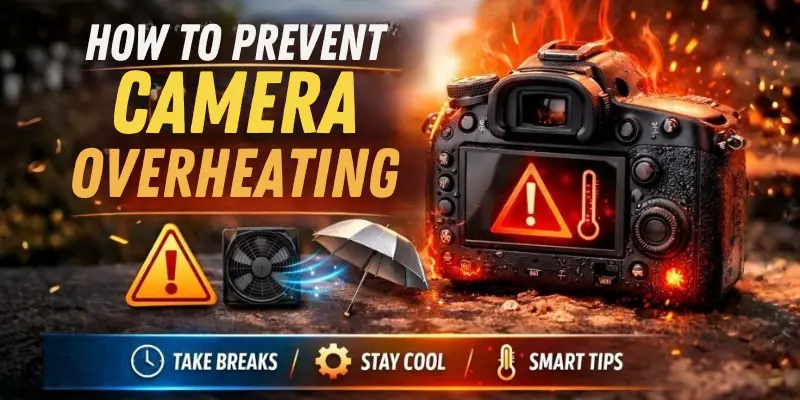
1. Limit Recording Time
One of the easiest ways to avoid overheating is by taking breaks. Don’t try to record for hours on end without giving your camera a chance to cool down. After about 30-60 minutes of continuous recording, pause and allow your camera to rest for a few minutes.
2. Lower Resolution and Frame Rate
High-resolution video (like 4K) and high frame rates put more strain on the camera’s processor. By reducing the resolution and frame rate, you ease the load on your camera, which can help keep it cool for longer periods.
3. Turn Off Unnecessary Features
Certain features, such as continuous autofocus, image stabilization, and wireless connections, can generate additional heat. When you’re not using them, simply turn them off to reduce the camera’s workload.
4. Use External Cooling Solutions
External cooling accessories, like small fans or heat dissipation pads, can help maintain the camera’s temperature during long recording sessions. These are especially useful for action cameras or DSLR cameras used for videography.
5. Shoot in Shaded Areas
Avoid shooting in direct sunlight or in hot, poorly ventilated areas. If you’re outdoors, try to find some shade or use an umbrella or a portable reflector to shield your camera from the sun’s direct rays.
6. Allow for Air Circulation
Always shoot in well-ventilated areas. If you’re in an enclosed space, make sure the air is circulating to allow heat to escape. A small fan near your workspace can make a big difference in keeping your equipment cool.
7. Change Your Memory Cards
Old or faulty memory cards can cause your camera to overheat. Regularly replace worn-out cards with new, high-quality ones to improve performance and reduce overheating during long shoots.
8. Use a Lens Hood
While a lens hood won’t directly prevent overheating, it can help reduce the exposure of the lens to direct sunlight, which indirectly helps your camera stay cooler by limiting the amount of heat absorbed.
9. Store Your Camera Properly
When you’re not using your camera, store it in a cool, dry place. Avoid leaving it in a hot car or in an area where sunlight can directly hit it. Consider investing in a camera bag that has some insulation and a cooling system.
10. Upgrade Firmware
Some camera manufacturers provide firmware updates to optimize the camera’s performance and improve internal cooling mechanisms. Regularly check for software updates and install them to make sure your camera is running at its best.
Conclusion
Camera overheating is a common issue that many photographers and videographers face, but it’s not something you have to simply accept. By understanding the causes and following the proven tips shared in this guide, you can easily prevent overheating and keep your shoots running smoothly.
Don’t let overheating interrupt your creative process—take these steps today and ensure your camera stays cool during every shoot.
Frequently Asked Questions (FAQs)
Here are answers to some of the most common questions about Camera Overheating:
Overheating symptoms can include your camera shutting down unexpectedly, showing a thermal warning, or acting sluggish. If you notice any of these signs, it’s time to give your camera a break to cool down.
Yes, external cooling fans can be safe if used correctly. It’s important to choose a fan designed for your specific camera type. Ensure that the fan doesn’t interfere with the camera’s lens or buttons, and avoid using fans that blow air directly into sensitive parts.
It’s not recommended to continue recording if your camera shows an overheating warning. Continuing to use it can cause permanent damage to internal components. It’s best to pause recording and allow the camera to cool down before resuming.
No, overheating can happen in action cameras, webcams, camcorders, and even security cameras, especially during long recording sessions or in hot environments. The key is to manage heat by using the tips in this guide, regardless of the camera type.
Overheating generally affects video recording more than photo shooting, but if the camera gets too hot, it could impact the overall performance. In rare cases, prolonged overheating could result in pixelation or color shifts in photos due to sensor instability. Always let your camera cool down before continuing use.





- Be Respectful
- Stay Relevant
- Stay Positive
- True Feedback
- Encourage Discussion
- Avoid Spamming
- No Fake News
- Don't Copy-Paste
- No Personal Attacks
- Be Respectful
- Stay Relevant
- Stay Positive
- True Feedback
- Encourage Discussion
- Avoid Spamming
- No Fake News
- Don't Copy-Paste
- No Personal Attacks
