Understand Webcam vs Smartphone Camera Differences for Meetings
Published: 19 Nov 2025
If you’re deciding between a smartphone camera and a webcam for your next meeting, you’re not alone! Many people think about which is the best choice for their virtual calls. Whether you’re a remote worker, a student, or just someone trying to improve their video call setup, choosing the right device can be tricky.
But don’t worry — we’re here to help! In this guide, we compare the smartphone camera vs webcam for meetings so you can choose the best option for your next online call. So, let’s dive in
Smartphone Camera vs Webcam for Meetings
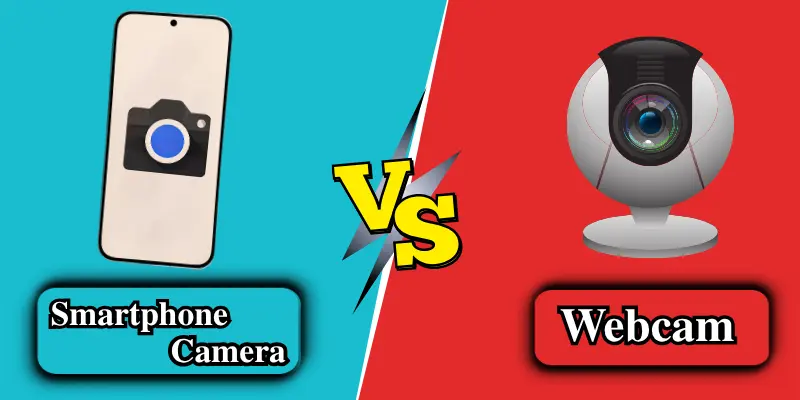
Choosing the right camera can make a big difference for your online meetings. Here’s a quick overview to help you compare both options:
Quick Comparison Table
| Feature | Smartphone Camera | Webcam |
|---|---|---|
| Video Quality | Sharper video, better low-light | Stable and smooth, depending on the model |
| Angle & Framing | Narrow view, good for 1–2 people | Wide-angle, best for group meetings |
| Setup & Convenience | Needs app + stand/tripod | Plug-and-play, very easy |
| Stability & Focus | Strong autofocus & Stabilization | Some fixed-focus models can blur |
| Audio Quality | Clear but may catch noise | Average mic; external mic recommended for better audio |
| Battery Life | Drains on long calls | No battery issues |
| Price | Free if you own a phone | Prices range from affordable to premium |
This table gives you a basic overview of how each device performs. Now, let’s dive into a detailed discussion of each feature.
1. Video Quality
When it comes to video quality, both smartphone cameras and webcams have their unique strengths, but which one stands out in terms of clarity and performance?
Smartphone Camera
- Offers high-quality, sharp video with impressive clarity.
- AI beauty, HDR, and better low-light performance features help enhance the video.
- Skin tones appear more natural in most cases.
Webcam
- Provides stable, smooth, and professional-quality video.
- The video quality can vary depending on the webcam model.
- Budget webcams usually perform lower than smartphone cameras, especially in low light.
Best Choice: Smartphone (better overall video quality)
2. Angle & Framing
The angle and framing of your video can make a big difference in how professional your meetings look, especially for group calls. Here’s how each device compares:
Smartphone Camera
- Has a narrower field of view, so it works best for 1–2 people.
- Background coverage is limited, showing only a small part of your surroundings.
Webcam
- Equipped with a wide-angle lens, making it ideal for group meetings.
- Provides better framing when placed on a laptop or monitor, giving a more professional and balanced look.
Best Choice: Webcam (Best for group meetings)
3. Setup & Convenience
How easy it is to set up your camera can make a big difference, especially if you attend meetings frequently. Here’s how smartphones and webcams compare:
Smartphone Camera
- Needs a stand or tripod for a stable video.
- Requires apps (like DroidCam or EpocCam) to connect to a PC.
Webcam
- Simple plug-and-play device, ready to use with USB.
- Quick and convenient setup for daily use.
Best Choice: Webcam (Easier to use)
4. Stability & Focus
Stability and proper focus play a big role in keeping your video clear during meetings. Here’s how each device performs:
Smartphone Camera
- Offers excellent auto-focus and built-in stabilization.
- Keeps the video steady even when you move slightly.
Webcam
- Some models use fixed focus, which limits clarity.
- The video can become blurry if you move during the call.
Best Choice: Smartphone (Best stability)
5. Audio Quality
Good audio is just as important as video for online meetings. Here’s how smartphones and webcams compare:
Smartphone Camera
- The mic is located close to your mouth, so the voice is clearer.
- But it easily picks up background noise.
Webcam
- Most webcams have average microphones, so the audio isn’t very clear.
- External microphones are often recommended for better sound quality.
Best Choice: Smartphone (Better audio without an external mic)

6. Battery Life
Battery life can play a big role in long meetings or extended video calls. Here’s how both devices compare:
Smartphone Camera
- The battery can drain quickly during long meetings or continuous use.
Webcam
- No battery issues because it runs directly on your computer’s power.
Best Choice: Webcam (No battery issues)
7. Price
Price can make a big difference when choosing between a smartphone camera and a webcam. Here’s how both compare:
Smartphone Camera
- No extra cost if you already own a smartphone.
- High-end smartphones can be expensive if you want top camera quality.
Webcam
- Prices vary a lot — budget models are affordable, while premium webcams can be costly.
Best Choice: Smartphone (Cost-effective if you already have one)
Which One Should You Use for Meetings?
After comparing smartphones and webcams across video quality, angle, setup, stability, audio, battery, and price, it’s easier to decide which one fits your needs:
Choose a Smartphone Camera if:
- You want sharper video and better low-light performance.
- Your meetings usually include 1–2 people.
- You prefer clear audio without using an external microphone.
Choose a Webcam if:
- You join group meetings or need a wider frame.
- You want a simple plug-and-play setup.
- You attend long meetings and want a stable video.
- You plan to use external microphones or professional accessories.
In short, Smartphones are great for high-quality video in small calls, while webcams are better for professional setups, group meetings, and long sessions.
Conclusion
Choosing between a smartphone camera and a webcam for meetings depends on your needs. If you prioritize high–quality video for smaller meetings and want an easy setup, a smartphone camera is the way to go. However, if you’re attending group calls, need a stable, long-lasting setup, or prefer a simple plug-and-play experience, a webcam is the better choice.
Both options have their advantages, but the right one for you ultimately comes down to the type of meetings you attend and the features that matter most to you.
Frequently Asked Questions (FAQs)
Here are answers to some of the most common questions about Smartphone vs Webcam:
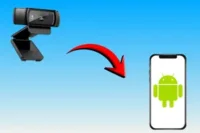
Yes! You can use apps like DroidCam or EpocCam to connect your smartphone to your PC. This allows your phone to act as a high-quality webcam for video calls. It’s a simple solution if you don’t have a dedicated webcam.
Yes, a tripod or stand is recommended. It keeps your phone steady and avoids shaky video. You can also adjust the angle easily for a better view.
Not really. For casual or short meetings, a smartphone or a basic webcam works perfectly fine. Premium webcams are better only if you want top quality for long or professional sessions.
It depends on your needs. A smartphone camera gives sharper video and better low-light performance for small calls. A webcam is better for group meetings, professional setups, and long sessions with stable video.


- Be Respectful
- Stay Relevant
- Stay Positive
- True Feedback
- Encourage Discussion
- Avoid Spamming
- No Fake News
- Don't Copy-Paste
- No Personal Attacks
- Be Respectful
- Stay Relevant
- Stay Positive
- True Feedback
- Encourage Discussion
- Avoid Spamming
- No Fake News
- Don't Copy-Paste
- No Personal Attacks
