What is an AI Webcam? Features, Benefits & Uses Explained
Published: 3 Jan 2026
What is an AI webcam, and why is everyone talking about it? Is it just another trendy gadget, or does it actually change the way we interact online? The truth is, it’s more than just a buzzword.
In this guide, we’ll dive into everything you need to know about AI webcams—their features, pros and cons, and whether they’re the perfect upgrade for you!
What is an AI Webcam?
An AI webcam is a type of webcam that uses artificial intelligence to improve video quality in ways traditional webcams can’t. Unlike standard webcams, which only capture and transmit video, AI webcams use machine learning and computer vision to automatically adjust settings like focus, lighting, and background effects.
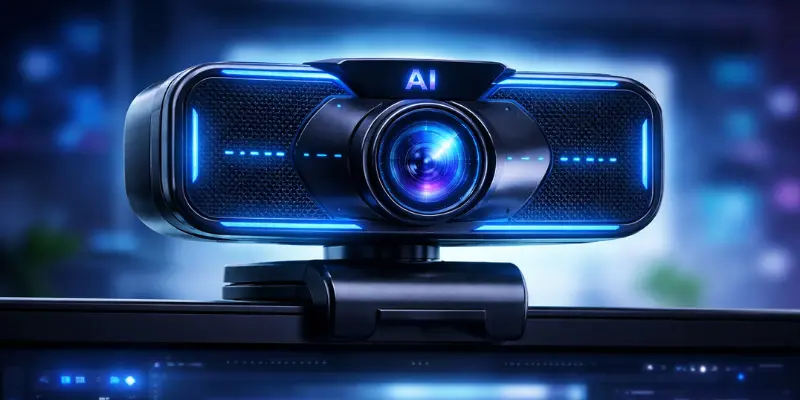
For example, an AI webcam can detect your face and keep it in sharp focus. It can also brighten your face in low-light conditions or blur a messy background, making you look more professional—without the need for manual adjustments. It’s like having a personal video assistant that ensures you always look your best.
How Do AI Webcams Work?
AI webcams work by combining smart hardware with intelligent software to make your video look better automatically. Unlike regular webcams, which just record whatever is in front of them, AI webcams analyze the scene in real-time and make adjustments to keep you looking your best.
Key functions include:
- Face Tracking: Keeps your face centered even when you move.
- Auto-Focus: Ensures your face stays sharp without manual adjustments.
- Lighting Adjustments: Brightens your face and reduces shadows in any lighting.
- Background Effects: Blurs or changes the background to keep the focus on you and hide distractions.
- Motion Detection: Smoothly adjusts framing if you move around.
This ensures you always look professional and polished, whether you’re in a meeting, a live stream, or a casual video chat.
Uses of AI Webcams
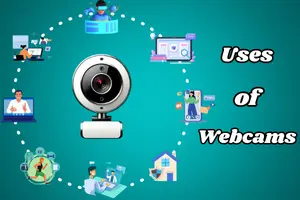
AI webcams are versatile and can be used in a variety of situations to enhance video quality and user experience. Here are some of the most common uses:
- Video Conferencing & Remote Work: AI webcams keep your face in focus, adjust lighting, and blur distractions in the background. This helps you look professional during online meetings and work calls.
- Content Creation & Streaming: Creators and streamers use AI webcams for auto-focus, smart framing, and background effects. These features improve video quality and keep viewers focused on you.
- Online Education & Virtual Classrooms: AI webcams ensure clear video and balanced lighting, making both teachers and students visible and focused while minimizing distractions during virtual classes.
- Video Calls with Friends & Family: Even in low light or messy rooms, AI webcams adjust brightness and focus automatically, making casual video calls clearer and more enjoyable.
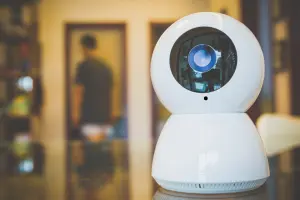
- Surveillance & Security: AI webcams improve home security by detecting motion and recognizing faces. They can send instant alerts, helping you monitor your space more smartly and safely.
Pros and Cons of AI Webcams
Like any technology, AI webcams come with both advantages and disadvantages. Let’s take a look:
| Pros |
|---|
|
| Cons |
|---|
|
AI Webcams vs. Regular Webcams: What’s the Difference?
AI webcams and regular webcams may look similar, but they operate very differently. Let’s explore the key differences:
| Feature | AI Webcam | Regular Webcam |
|---|---|---|
| Video Quality | Automatically enhanced with AI | Basic, manual adjustments needed |
| Face Tracking | Yes, keeps you centered | No |
| Lighting Adjustment | Auto-adjusts lighting | Requires manual setup |
| Background Effects | Blur or replace background | Not available |
| Ease of Use | Very easy, minimal setup | Requires manual adjustments |
| Price | Usually more expensive | More affordable |
Is an AI Webcam Worth Buying?
Now, the big question – is it really worth it to buy an AI webcam? The answer depends on your needs:
- If you work remotely or do a lot of video conferencing, an AI webcam will make your life easier by enhancing your video quality, ensuring you always look sharp and professional.
- For content creators and streamers, an AI webcam is practically a must-have if you want to level up your streams and engage your audience with superior video quality.
- If you’re just looking for a basic webcam for occasional use, you may not need an AI webcam, but if you want the best quality and user-friendly features, it’s definitely a worthwhile investment.
Conclusion
AI webcams are a smart upgrade for anyone who wants better video quality with less effort. They automatically handle focus, lighting, and background, helping you look clear and professional in any situation.
Whether you work remotely, teach online, or create content, an AI webcam can greatly improve your video experience. If you value ease of use and high-quality results, investing in an AI webcam is definitely worth considering.
Frequently Asked Questions (FAQs)
Here are answers to some of the most common questions about AI Webcam:
Yes, most AI webcams work smoothly with popular video platforms like Zoom, Google Meet, and Microsoft Teams. Some advanced AI features may need the brand’s software, but basic improvements work automatically.
For frequent video calls, online classes, or content creation, an AI webcam is a better choice. It saves time and delivers clearer, more professional video than a regular webcam.
Yes, AI webcams are beginner-friendly. Most settings adjust automatically, so you don’t need technical knowledge to get good results.
Yes, AI webcams can work with older computers for basic functions like video calls. However, advanced AI features may run better on newer systems with more processing power.
AI webcams may use slightly more power because of real-time processing. However, the difference is usually small and not noticeable during regular use.

- Be Respectful
- Stay Relevant
- Stay Positive
- True Feedback
- Encourage Discussion
- Avoid Spamming
- No Fake News
- Don't Copy-Paste
- No Personal Attacks
- Be Respectful
- Stay Relevant
- Stay Positive
- True Feedback
- Encourage Discussion
- Avoid Spamming
- No Fake News
- Don't Copy-Paste
- No Personal Attacks
